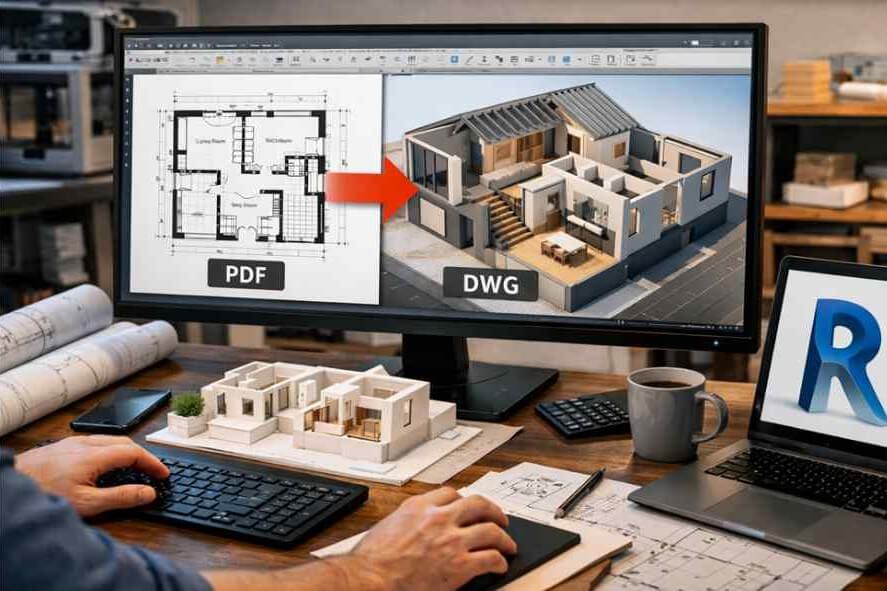
In today’s fast-moving architectural and construction landscape, speed and accuracy are no longer optional; they’re essential. Yet many architects across the UK and globally still receive legacy drawings, scanned plans, and consultant markups in PDF format. While PDFs are easy to share, they’re not designed for Building Information Modeling (BIM) workflows.
This is where the need to convert pdf to dwg revit workflows becomes critical.
Instead of manually tracing or recreating drawings inside Revit, a time-consuming and error-prone process, architects are increasingly turning to PDF to DWG conversion as a strategic shortcut. When done correctly, it dramatically accelerates Revit modeling, reduces rework, and keeps projects on schedule.
Let’s explore how PDF to DWG conversion fits into modern Revit workflows, the challenges involved, and why it’s becoming a must-have capability in today’s CAD design and drafting industry especially in the UK.
What Is PDF to DWG Conversion in Revit Workflows?
At its core, PDF to DWG conversion is the process of transforming PDF drawings into editable CAD files (DWG format) that can be imported or linked into Autodesk Revit.
Architects typically use converted DWG files for:
- Base plans
- Reference underlays
- Existing-condition drawings
- Consultant coordination
- Fast-tracked concept modeling
Once converted, these DWG files act as a foundation for accurate Revit modeling, allowing teams to build walls, levels, grids, and BIM elements with confidence.
This process is often supported by PDF to CAD Conversion Services or specialized CAD Conversion Services that ensure accuracy, layering, and scale integrity.
Why Do Architects Convert PDF to DWG Before Revit Modeling?
1. To Save Time on Manual Redrawing
According to an industry productivity study by McKinsey on construction digitization, inefficient workflows can consume up to 30% of design time.
Manually tracing PDFs in Revit:
- Slows down early-stage modeling
- Introduces human error
- Delays design validation
By choosing to convert pdf to dwg revit, architects can skip repetitive tracing and focus on design intent and BIM intelligence instead.
2. To Improve Accuracy and Dimensional Control
PDFs often hide:
- Inconsistent scales
- Rasterized linework
- Distorted dimensions from scans
Professional pdf to revit conversion services ensure:
- Correct scaling
- Clean vector linework
- Proper alignment with Revit coordinates
This accuracy is critical, especially for UK projects where compliance with RIBA stages, BIM Level 2 standards, and ISO 19650 is mandatory.
How Does PDF to DWG Conversion Speed Up Revit Modeling?
Clean Geometry Means Faster BIM Creation
Once a PDF is converted into a structured DWG:
- Walls snap correctly
- Levels align faster
- Families place accurately
- Clash risks reduce early
Instead of spending days correcting geometry, Revit users can model confidently from day one.
Reduced Coordination Issues
In multi-disciplinary UK projects, architects often work with:
- MEP consultants
- Structural engineers
- Heritage survey drawings
Using CAD Conversion Services to standardize PDFs into DWG files ensures smoother coordination across teams, reducing RFIs and design revisions later.
What Challenges Do Architects Face with PDF to DWG Conversion?
1. Poor-Quality Source PDFs
Not all PDFs are equal. Many are:
- Scanned hand drawings
- Low-resolution files
- Legacy blueprints
Automated tools often fail with such files. That’s why architects increasingly rely on Pdf to CAD Conversion Services that combine automation with manual quality checks.
2. Layering and Lineweight Issues
A common frustration after conversion is:
- Everything appearing on a single layer
- Inconsistent lineweights
- Missing annotation separation
Professional pdf to revit conversion services address this by:
- Rebuilding logical layer structures
- Matching CAD standards
- Preparing files specifically for Revit import
What Are the Latest Trends in PDF to DWG and Revit Workflows?
Growing Demand for Scan-to-BIM and Legacy Conversion
According to NBS UK BIM Report, over 73% of UK architecture practices now use BIM on most projects. However, many still rely on legacy PDFs for refurbishment and retrofit work.
This has driven growth in:
- PDF to DWG conversion
- Scan-to-BIM services
- Hybrid CAD-to-Revit workflows
AI-Assisted Conversion Tools
AI-powered CAD tools can now:
- Detect line types
- Identify symbols
- Convert text automatically
But AI alone isn’t enough. The industry trend is moving toward human-verified conversion, especially for complex architectural drawings combining speed with reliability.
When Should Architects Use PDF to DWG Conversion Instead of Direct PDF Import?
While Revit allows direct PDF import, it’s not always ideal.
Use PDF import when:
- You need quick visual reference only
- Accuracy is not critical
Convert pdf to dwg revit when:
- You need editable geometry
- You’re building accurate BIM models
- The project is heading to construction or coordination stages
For commercial, residential, and infrastructure projects across the UK, DWG-based workflows remain the most reliable bridge into Revit.
How Does PDF to DWG Conversion Support Business Growth?
For business owners and decision-makers, faster modeling isn’t just a technical win—it’s a commercial advantage.
Benefits include:
- Faster project turnaround
- Reduced staffing pressure
- Better cost predictability
- Higher client satisfaction
According to Autodesk’s productivity insights, firms using optimized BIM workflows report up to 20–25% improvement in project efficiency.
That efficiency often starts with clean, reliable input data like properly converted DWG files.
Why Outsourcing PDF to DWG Conversion Makes Strategic Sense
Many UK firms are choosing to outsource CAD Conversion Services rather than handle them in-house.
Why?
- Access to trained CAD specialists
- Faster turnaround times
- Consistent quality standards
- Cost-effective scaling during peak workloads
Outsourced Pdf to CAD Conversion Services free architects to focus on design, compliance, and client collaboration where their expertise truly adds value.
Final Thoughts:
As the UK construction industry pushes toward digital delivery, BIM compliance, and faster project cycles, the ability to convert pdf to dwg revit efficiently is no longer optional; it’s strategic.
Architects who embrace professional pdf to revit conversion services gain:
- Speed
- Accuracy
- Scalability
- A clear edge in competitive tenders
In the conclusion of many successful UK projects, you’ll often find a quiet but crucial contributor: a reliable CAD partner handling the groundwork behind the scenes. Leading UK CAD design companies continue to support architects worldwide by delivering precise, Revit-ready conversions that turn static PDFs into powerful BIM assets.
Frequently Asked Questions
What is the best way to convert PDF to DWG for Revit?
The most reliable method is using professional pdf to revit conversion services that ensure accurate scale, layers, and Revit-ready output.
Can Revit directly use converted DWG files?
Yes. Revit allows DWG files to be imported or linked as underlays, making them ideal for fast BIM modeling.
Is PDF to DWG conversion accurate enough for construction drawings?
When handled by experienced CAD Conversion Services, converted DWG files can meet construction-level accuracy requirements.